Recognition in most companies lasts exactly as long as a message in a chat channel. Someone rescued a release over the weekend; someone else carried the intern programme for six months. It gets a thread and a row of reactions on the day, the thread sinks within a week, and a year later nobody remembers — including the person themselves, sitting in a compensation review trying to make the case.
Awards turn recognition from an event into an object. HR designs badges that mean something in your company, grants them to people, and the badge stays on that person's profile for as long as they work there.
A badge you design yourself
There is no built-in catalogue of awards, and that's deliberate. "Employee of the Month" is equally meaningless everywhere; "Untangled the legacy billing service" is meaningful in exactly one company. So an award is made of what you put into it: a name, an optional description explaining what it's for, and an image.
The image comes from five ready-made emoji — trophy, medal, star, decoration, diamond — or from your own PNG or JPEG, cropped in the interface. No designer required. With no image at all, the award falls back to a trophy.
How the award renders on a profile is a separate choice: badge only, badge with a label, or just a text pill with the name. A small setting that solves a real problem — five badges in a row read fine, five badges with captions do not.
The wall of honour
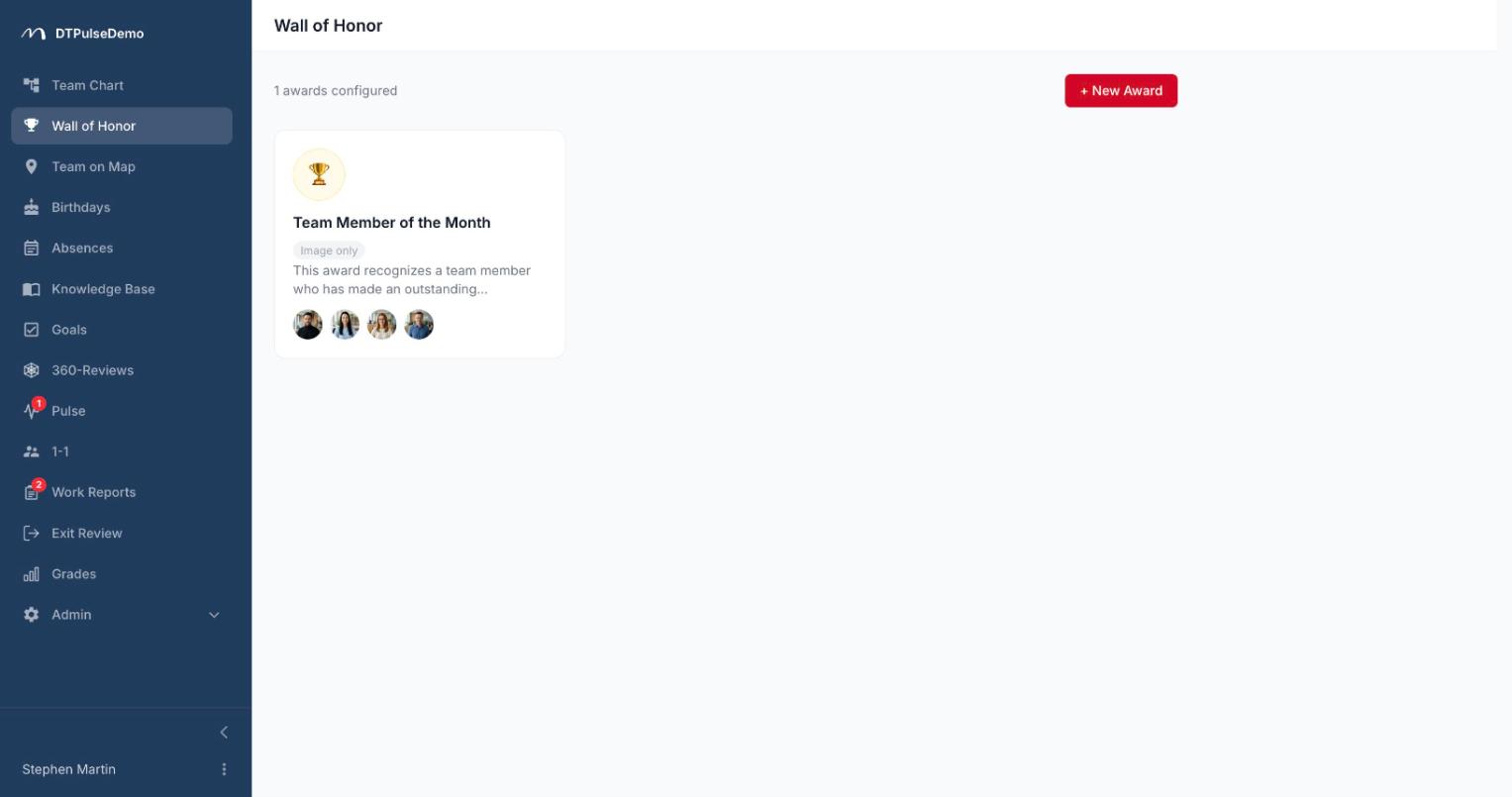
The Wall of Honor is visible to every employee in the company. It's a gallery of cards: badge, name, description, and the faces of the recipients — the first six plus a counter for the rest. Hovering a face shows a name and job title; clicking opens the same profile panel used everywhere else in the portal.
A card opens onto its own page with the full recipient list, newest first. For a regular employee that page is read-only. HR and admins edit the name, description, image and recipient list on the same screen — add someone by typing their name, remove them with one click.
Opening an award fires a few seconds of confetti. It respects the system's reduced-motion setting and never blocks the form underneath. It is the only part of the section not built for efficiency.
The badge lives on the profile
The real value isn't the gallery — it's that badges appear where people actually look someone up. The profile panel opens from the org chart, from the office map, from the birthday list, from review results, and awards are always in it, with the description available on hover.
The same badge is granted to a person once: an award is a fact, not a counter. If you want to mark a recurring achievement, create a second award with its own name rather than a second copy of the same one.
What's deliberately missing
There are no points, no rankings, no leaderboards. No automatic badges for tenure or ticket counts. No notification the portal will send out on your behalf.
These are positions, not gaps. Recognition works when a person decided to give it and said so out loud — in a team meeting, on a call, in a direct message. The portal only takes on the part human memory does badly: remembering who was recognised and what for, and showing it to everyone, permanently.
Whose time this saves
HR gets substance for conversations about people. Before a review, a promotion, or a succession discussion, it's visible who was recognised and why — instead of reconstructing it from old chat history.
Managers get a way to make a contribution durable when it would otherwise stay a verbal thank-you. Asking for it takes one message; the result is visible to the whole company.
Employees keep their track record through a change of manager. The new one opens a profile and sees a history of recognition rather than starting from a blank page.
New hires learn from the wall what this company actually considers good work. That's often more honest than the values page in the knowledge base.
How it connects to the rest of the portal
Awards use the same employee directory as everything else — you pick people from a list rather than re-entering them. Grant and revoke are restricted to HR and admins on the server, not just hidden in the interface. When someone leaves, they drop off the wall along with every other list.
The whole section can be switched off with one checkbox in company settings, or moved in the sidebar like any other section.
Getting started
Create three or four awards that describe your company rather than a generic corporation, and grant them to the people who earned them over the last six months. That's half an hour of work and the reason for a good team meeting.
Awards are available on every plan, including the free tier for up to 10 people.