Up to about thirty people, a company remembers birthdays. At seventy it doesn't. A greeting happens if someone sitting nearby caught a reminder in their personal calendar, and a week later it turns out nobody wished the person from the other department anything at all. That's a small thing right up to the moment it happens to someone who was already quietly wondering whether to stay.
The Birthdays section is deliberately unexciting, which is why it works: dates come from the employee records you already maintain, the list covers the whole year, and the reminder arrives on its own.
A list that opens where you need it
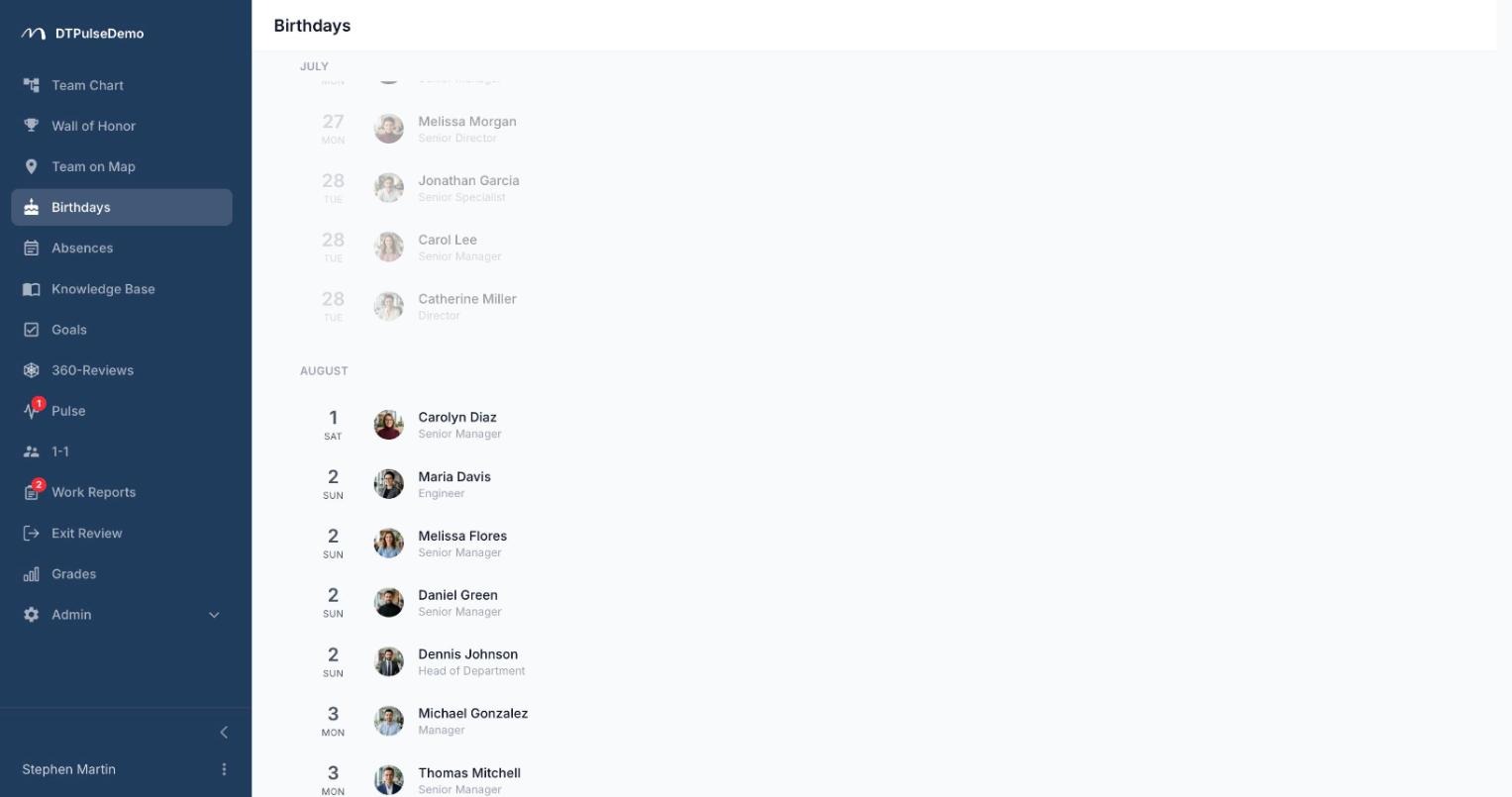
Every birthday in the company sits in a single list grouped by month. Past dates are dimmed, today's are highlighted with a "Today" badge, and the page scrolls itself to the next upcoming date when it opens. You never hunt for the current month — it's already in front of you.
Each row shows the day, the weekday, a photo, a name and a job title. Clicking opens the same profile panel as the org chart: department, contacts, manager, current absence status. That matters more than it sounds. A greeting stops being a generic "happy birthday" the moment you can see what the person actually does and which team they're on.
Opening the section fires a short burst of confetti. If the viewer's system has reduced-motion enabled, nothing happens — that's correct behaviour, not a missing feature.
A morning reminder so nothing depends on memory
The list is something you open. The reminder comes to you.
If your Slack workspace is connected, a daily post lands in the channel you choose — a dedicated birthdays channel, or your default one — naming everyone celebrating today with their job title and team. Email works the same way and independently: turn on the daily birthday digest, give it a recipient address (usually HR, the office manager, or a shared team inbox), and the same list arrives as a message with a link straight into the section.
You set the hour, and it fires in your company's time zone rather than UTC. For a team spread across several countries that's the difference between a digest at nine in the morning and a digest at three at night. If nobody has a birthday today, nothing is sent — the system doesn't do empty broadcasts.
The digest is the only automated step. People do the congratulating, and that ordering is intentional: an automatic card from a portal reads exactly like an automatic card from a portal.
Dates that aren't there
Date of birth is an optional field on an employee record. If it's blank, that person simply doesn't appear in the list or the digest. That's a sensible escape hatch for people who would rather not mark their birthday at work: nothing has to be explained, the field just stays empty.
Departing employees drop out of the section automatically, along with every other list in the portal. There's no cleanup task after an off-boarding.
Whose time this saves
HR stops maintaining a parallel spreadsheet of dates and sending reminders by hand. The dates already live on employee records; the digest sends itself.
Managers can see a month ahead who on their team has a birthday coming, instead of finding out five minutes before a stand-up.
Office managers get cake, card and gift logistics out of the urgent bucket. The month-ahead list is always open.
New hires get a reason to meet people. They see a face, a job title and a department rather than a line in a calendar.
How it connects to the rest of the portal
Birthdays aren't a separate module with their own database — they're a view of the same employee records. Fill the date in during a CSV import and the person shows up. Move them to another department and tomorrow's digest reflects it. In the org chart, today's birthdays are flagged next to the person's name, so the company tree answers the same question without a detour.
The section itself can be hidden entirely or moved in the sidebar, like every other section of the portal. Companies where birthdays aren't a thing don't have to live with the extra nav entry.
Getting started
If you onboard people through CSV import, date of birth is one more column in the same file — there's no separate step. After that, switch on the digest under Integrations, name a channel or a recipient address, pick an hour. It's a minute of setup, done once.
Birthdays are available on every plan, including the free tier for up to 10 people.