Every company has three or four things it must track about a person that no off-the-shelf portal ships with. Badge number. Date the medical check expires. T-shirt size for the swag run. Driving licence category. Employment contract number. Nothing exotic — just a set that happens to be different at the company next door.
Normally those things live in a side spreadsheet owned by one person, and the spreadsheet drifts out of sync with the real employee list within two months. Custom fields move them where they belong: onto the employee record, next to job title and department.
Eight types
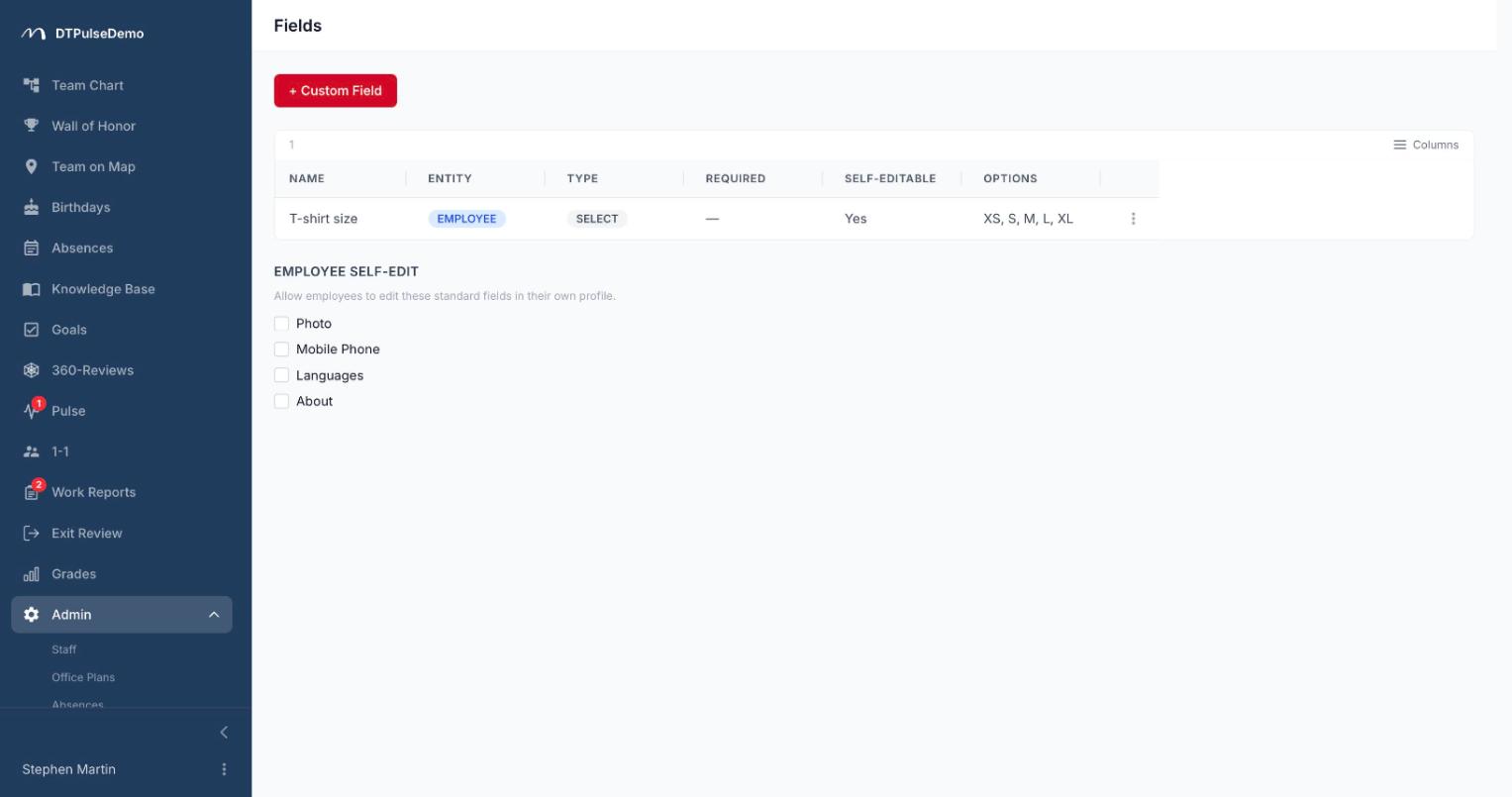
A field takes about thirty seconds to create in the admin area: name, entity, type. There are eight types — short text, long text, number, date, URL, checkbox, single select and multi-select.
Selects carry their own option list. Any field can be marked required. Long text renders as markdown on the profile card, so lists and paragraphs survive instead of collapsing into one wall of text.
Fields are defined separately for employees and for departments. The department side is more useful than people expect: cost centre code, legal entity, budget line.
Who fills them in
By default admins and HR fill the values. Fields appear in the employee form the moment they're created — no restart, no ticket, no developer.
A separate flag opens a field for self-editing, which lets the employee maintain their own value from their profile. That's exactly right for t-shirt size, dietary restrictions or a gaming handle: data HR should never be collecting by hand.
The same page controls which built-in fields employees may edit themselves — photo, mobile phone, languages and the "about" block. It's the same decision made in the same place, once.
Fields become columns
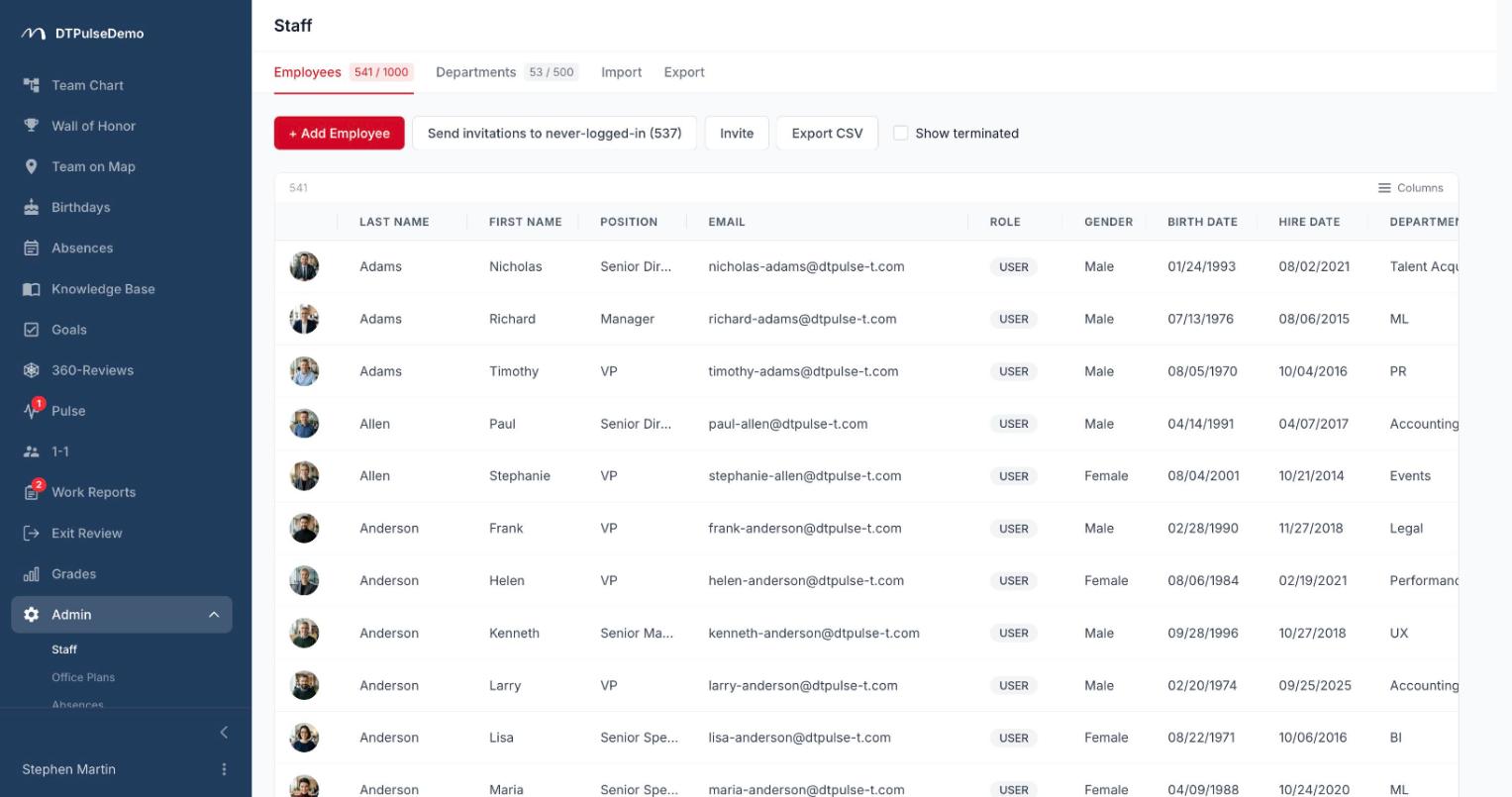
The real payoff arrives after the values exist. Every custom field shows up in the admin employee list as an ordinary column, with its own sorting and a filter matched to its type: substring for text, a date range for dates, min/max for numbers, multi-select for option lists. Option filters have an any/all toggle, so "everyone who has both the clearance and the category C licence" is two clicks rather than an export into Excel.
Columns reorder by dragging their headers and the order is remembered. The CSV export button returns exactly what's on screen: active filters, sorting and the current column set all carry through, with a UTF-8 BOM so Excel opens non-Latin text correctly.
Custom field values are also part of the company JSON export — the same one used for migrations and for data subject access requests.
Honest about the limits
Custom fields have no per-field visibility rules: a value is visible to anyone who can open that person's card. That's a deliberate trade for keeping the feature simple and predictable, and it means salary, review outcomes and medical details do not belong here. For sensitive data the portal has sections with their own role model.
Bulk CSV import of employees covers the built-in columns; custom field values are filled in on the employee record afterwards.
How many fields you get
The count is capped by plan: 3 on Free, 10 on Team, 30 on Business, 100 on Enterprise and 500 on Enterprise+. Current usage shows on the billing page as a bar alongside the other limits, and if you try to move down a plan the portal tells you up front which axes you exceed instead of quietly deleting the overflow.
In practice ten fields last a long time. The urge to define twenty usually means three of them wanted to be a separate directory.
Whose time this saves
HR loses the parallel spreadsheet. The data lives in one place, updates with the rest of the record, and never needs reconciling.
Admins get a new field the day it's needed rather than in the next release. No change request.
Office and facilities managers build task-specific lists with a filter: who needs a badge ordered, whose medical check is expiring, who wears what size.
Employees can fix their own details without emailing HR to change a phone number.
How it connects to the rest of the portal
Custom fields are an extension of the same employee record that the org chart, office map, absences and reviews all run on. A value entered once shows in the profile panel opened from the tree, from the map and from the admin list — it's one record seen from several angles.
Getting started
Create the three fields you're currently keeping in a side spreadsheet and move the values over. At least one of them is almost certainly worth opening for self-editing — start there and count how many HR emails it removes.
Custom fields are available on every plan, including the free tier.