Internal documentation rarely dies in one go. First the policy sits on a shared drive, then part of it moves to Notion, then someone pins "the current version" in a channel, then a Confluence space appears — and a year later the question "how do I claim travel expenses" has four answers of varying freshness and no authoritative one.
The knowledge base in DTPulse doesn't try to be the world's best wiki. It tries to be the only one: living in the same portal as the org chart, the absences and the profiles, where people already are every day.
A tree of articles
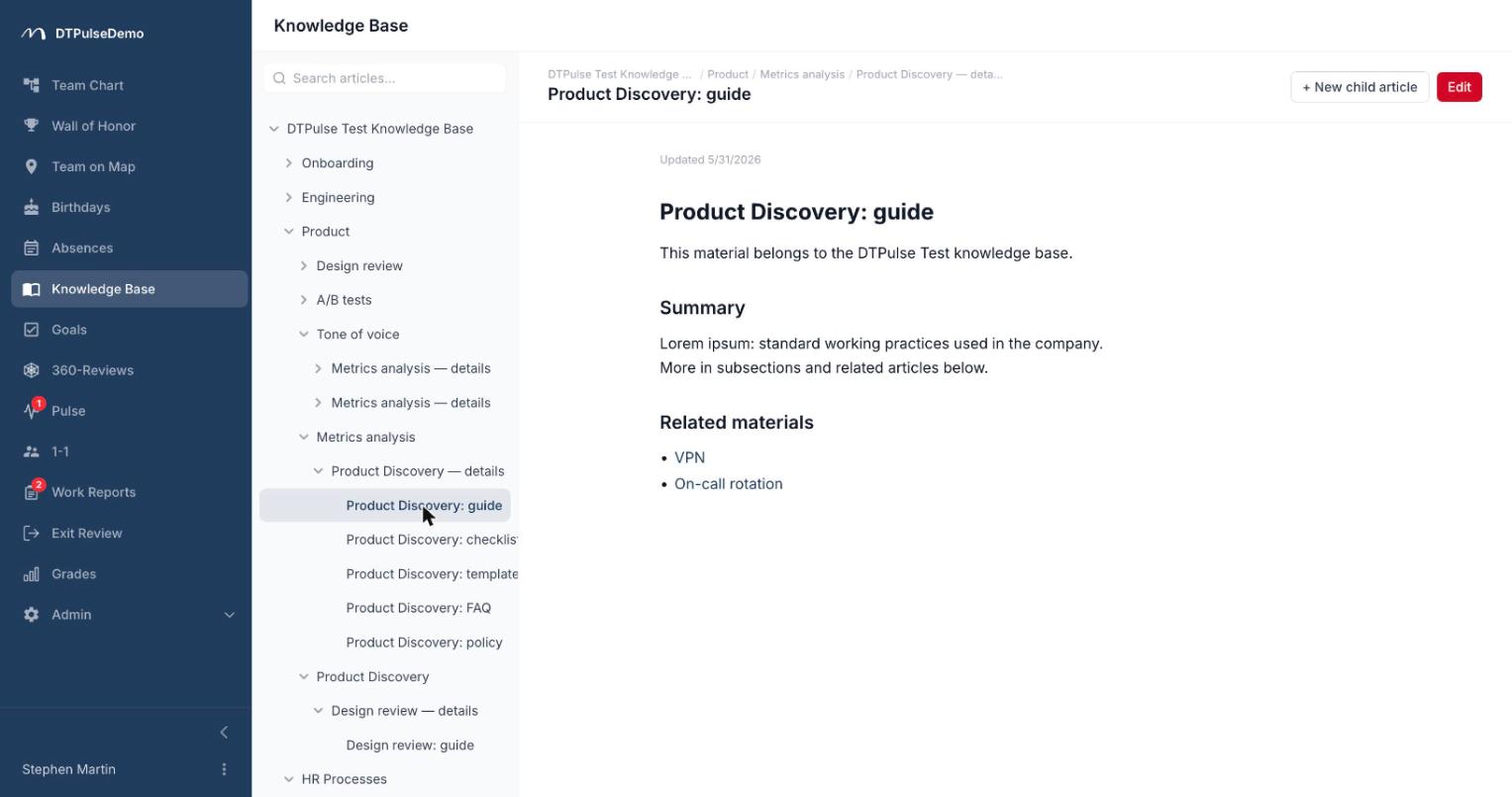
Articles are organised as a tree — each one can have a parent and any number of children, nested as deep as you need. "Onboarding" opens into "First day", "Access", "Who's who", and inside Access sit the individual system guides.
Navigation on the left, breadcrumbs from the root above the open article, so you always know where you are and what sits next to it. Every company gets a root article that can't be deleted and acts as the permanent entry point. Under each article you see who wrote it and when it was last updated.
Deleting an article deletes everything nested under it — deliberate tree behaviour, worth remembering when you remove a whole section.
The editor
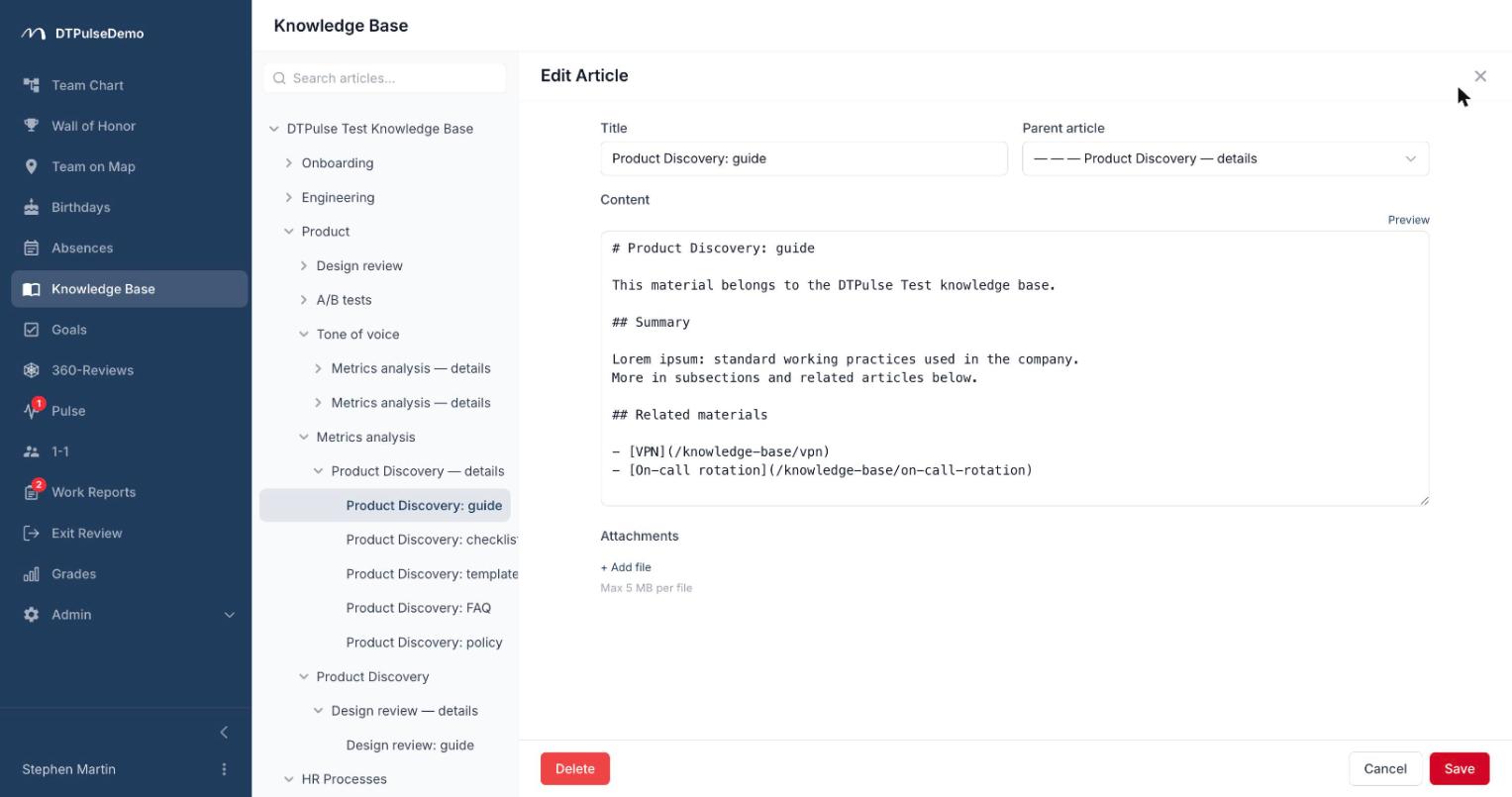
Text is written in Markdown, with a preview tab next to it so you can check the result before saving. Headings, lists, tables, links and images all work, rendered by the same engine that renders the legal documents on this site.
Markdown is a deliberate choice: it survives being copied between systems, it's readable in source form, and it won't turn an article into unparseable markup two years from now. We tried a visual editor and went back to Markdown with a preview — the round-trip conversion losses weren't worth it.
Files attach to an article at up to 5 MB each and appear as a block under the text: the expense template, the office layout, the deck from the last all-hands. Attachments count towards your company's storage allowance — 100 MB on the free tier, 1 GB on TEAM, 10 GB on BUSINESS, 100 GB on ENTERPRISE.
Search
Search kicks in at two characters and covers every article in the company. Results aren't a flat list of titles — each hit carries its path through the tree, so "Access" under Onboarding and "Access" under Security are visibly different articles.
This is a case where finding the text matters less than understanding what you found. "Where is the current policy" is almost always a question about context, not about existence.
Who can write
By default articles are created and edited by admins and HR, which keeps the knowledge base a governed set of policies rather than a pile of notes. One switch in company settings opens editing to every employee if the shared-wiki model suits you better.
Articles outlive their authors: if an employee is removed from the system, the text stays where it is.
Whose time this saves
New hires get a first week without ten questions in the team channel. The onboarding link is written once and works for everyone who follows.
HR writes the leave policy once, and it sits in the same product where people request leave. No explaining where to go and read it.
Team leads stop keeping process instructions in their direct messages.
The company stops losing knowledge when someone leaves. That's the dullest and most expensive problem on this list.
How it connects to the rest of the portal
The knowledge base is a section of the portal, not a separate service: same accounts, same roles, same sign-in. Nobody creates another login, and nobody has to be deprovisioned separately when they leave — access disappears with portal access.
The section can be switched off entirely for a company, and moved in the sidebar to wherever it belongs for you, like every other section.
For self-hosted deployments this is one of the clearest wins: internal policies and their attachments live in your own database rather than a third-party cloud, and there's no additional processor to add to your GDPR records or explain to a security review.
Getting started
Don't start with the perfect structure. Start with the three articles you already recite to every new joiner: how the working day is organised, how to request leave, who to ask about access. The tree grows from there, usually because somebody got tired of answering the same question twice.
The knowledge base is available on every plan, including the free tier for up to 10 people.