Most 1-1s are kept in private notes. The manager has a file, the report has another, and the two don't match. At the next meeting both remember the commitments slightly differently, and whatever didn't get done quietly disappears — nobody meant to bury it, there just wasn't a place where it lived between conversations.
1-1s in DTPulse are a single shared page. The agenda belongs to both people, action items survive until somebody closes them, and past meetings sit right there. Nothing depends on anyone's memory.
Who you meet with
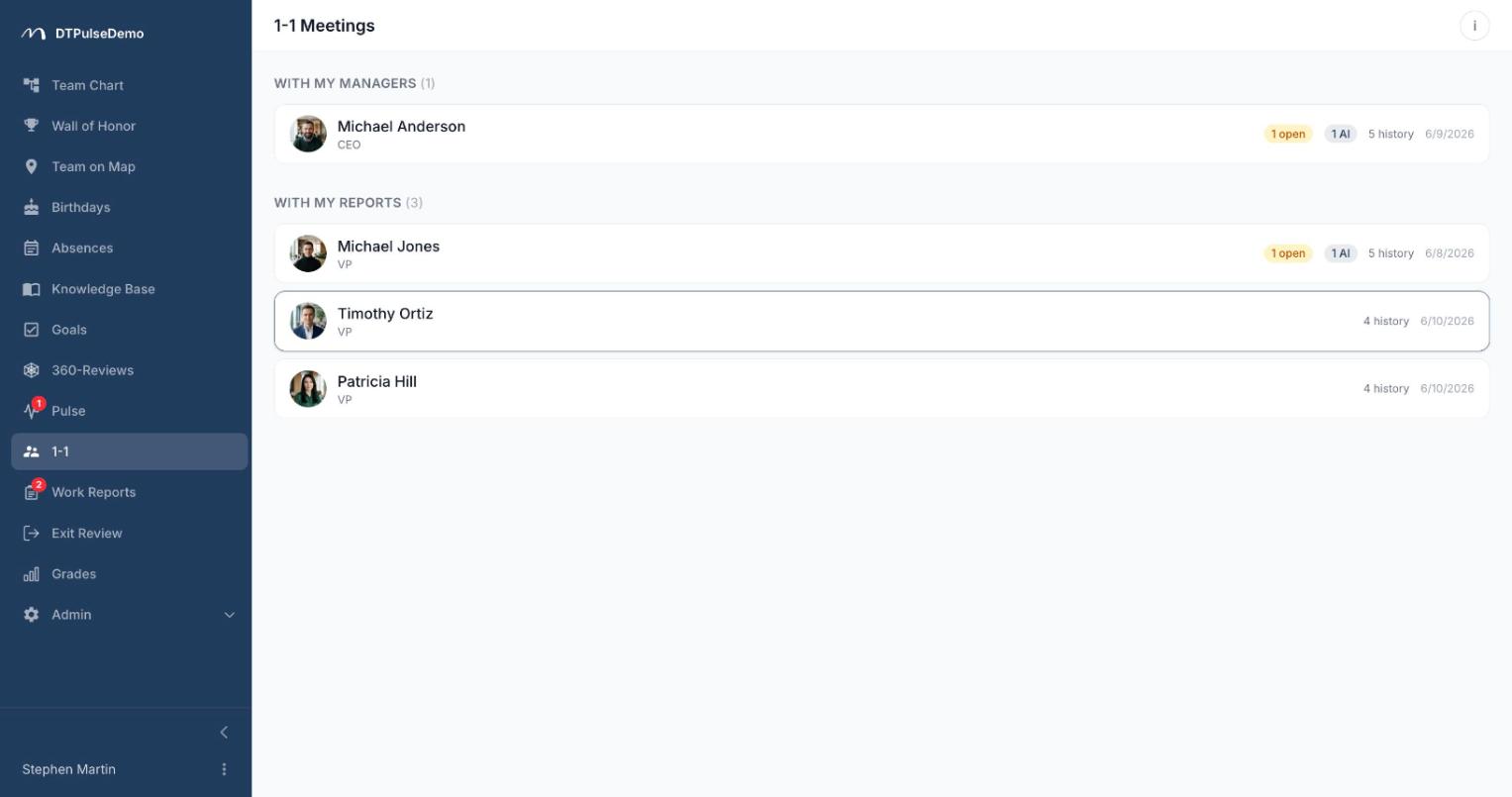
The section opens as two lists: With my managers and With my reports. Counterparts come from the org chart and account for every reporting channel — the direct manager, manually assigned additional managers, and department leadership. For someone with both a functional and a project manager, that means both show up without anyone configuring it.
Each card shows how many items carried over from the last meeting, how many are in the current one, and how many meetings you've already held. That's usually enough to tell which conversation is overdue before you open anything.
One active meeting at a time
With each counterpart there is exactly one active 1-1 at any moment. Not a list of scheduled events, not a calendar — one page that fills up between meetings and closes when the conversation actually happens.
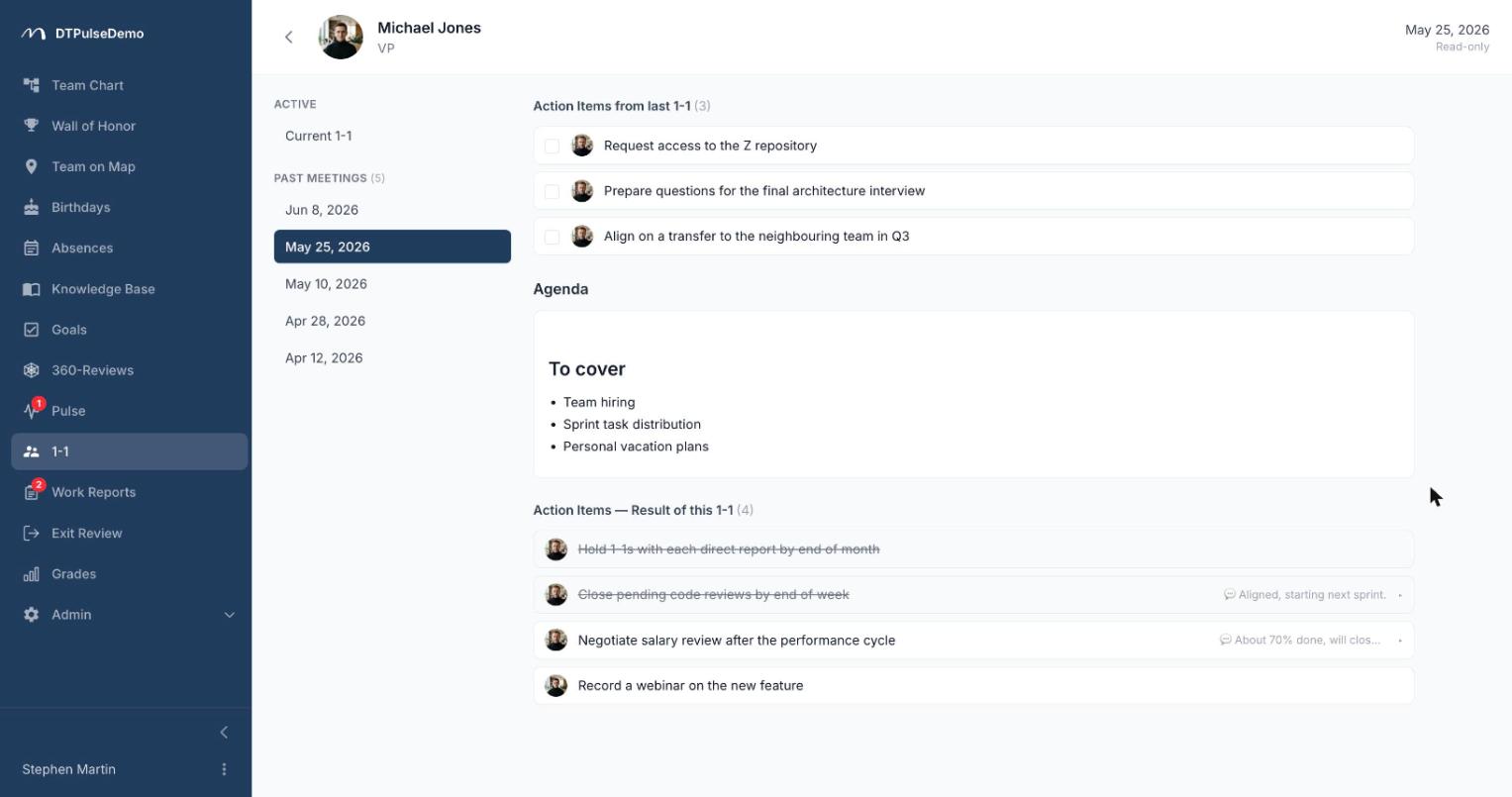
The agenda is a shared markdown field both people write into. So the two of you don't overwrite each other, editing takes turns: while one person has it, the other sees a "currently editing" hint and a take-over button. Taking over is a deliberate, confirmed action rather than a last-write-wins race, and the rule is enforced by the server, not just the interface.
Action items sit in two sections. Carried over holds everything unfinished from the previous meeting, pulled in automatically. Result holds what you agreed on this time. Each item has an assignee — one of the two of you — a done checkbox, and a comment, which is usually where the substance ends up: why it didn't happen, what's blocking it, what changed.
Complete 1-1 closes the meeting. Before it does, you get a short summary: how many carried-over items you closed, how many new ones, and how many will travel forward. A completed meeting moves into a read-only history, and the next visit opens a fresh one with the still-open items already on the page.
Why carry-over matters more than the agenda
The value of a 1-1 doesn't sit in the record of the conversation; it sits in what happens between conversations. An item that didn't get done has to reach the next meeting without anybody's effort — otherwise it evaporates after the second postponement. Here it carries itself forward, and it carries its history with it: you can see how many meetings in a row it has travelled and what was said about it last time. "This is the fourth time we've discussed this" becomes a sayable sentence, because it's evidenced.
Privacy
Every meeting is private to its two participants. No other manager, no HR, no company admin can read the agenda, the items, or the comments. This isn't a setting that can be relaxed — it's how the section is built. Without that guarantee a 1-1 turns into reporting, and the honest part of the conversation goes elsewhere.
Whose time this saves
Managers stop preparing from their own notes and reconstructing what was agreed last time. The open page is the preparation.
Reports get somewhere to put a question a week before the meeting, instead of holding it in their head or firing it into chat at an awkward moment.
Both work from one source of truth. "I thought we decided something else" gets noticeably rarer when the wording is shared and written before the conversation rather than after it.
First-time managers get a working shape for a recurring meeting. There's no need to invent the format or remember what a 1-1 is supposed to cover.
How it connects to the rest of the portal
Counterpart lists are built from the same reporting structure that routes absence approvals, populates 360 reviews and scopes work reports. Hire someone and assign their manager, and the 1-1 exists immediately with nothing to configure. Move them to another department and the lists rebuild themselves while the meeting history stays intact.
The section can be switched off or reordered in the sidebar if your company runs its check-ins differently.
Getting started
Open the section, pick your first counterpart, and put three lines in the agenda. There is nothing to set up: the active meeting is created the first time you open it, and carry-over starts working from the second one.
1-1 meetings are available on every plan, including the free tier for up to 10 people.