Every HR team has the same argument at least twice a year. Someone books leave over a bank holiday weekend and expects those days back. Someone else books the week of Christmas and can't work out how many days it actually cost them. A manager approves a request without noticing that four of the eight days were national holidays anyway. There is no shared answer, because there is no shared calendar — just a link to a government website and whatever each person remembers.
The holiday calendar in DTPulse is the shared answer. You fill it in once a year, and the rest of the portal does its date arithmetic against it.
Filling the calendar in
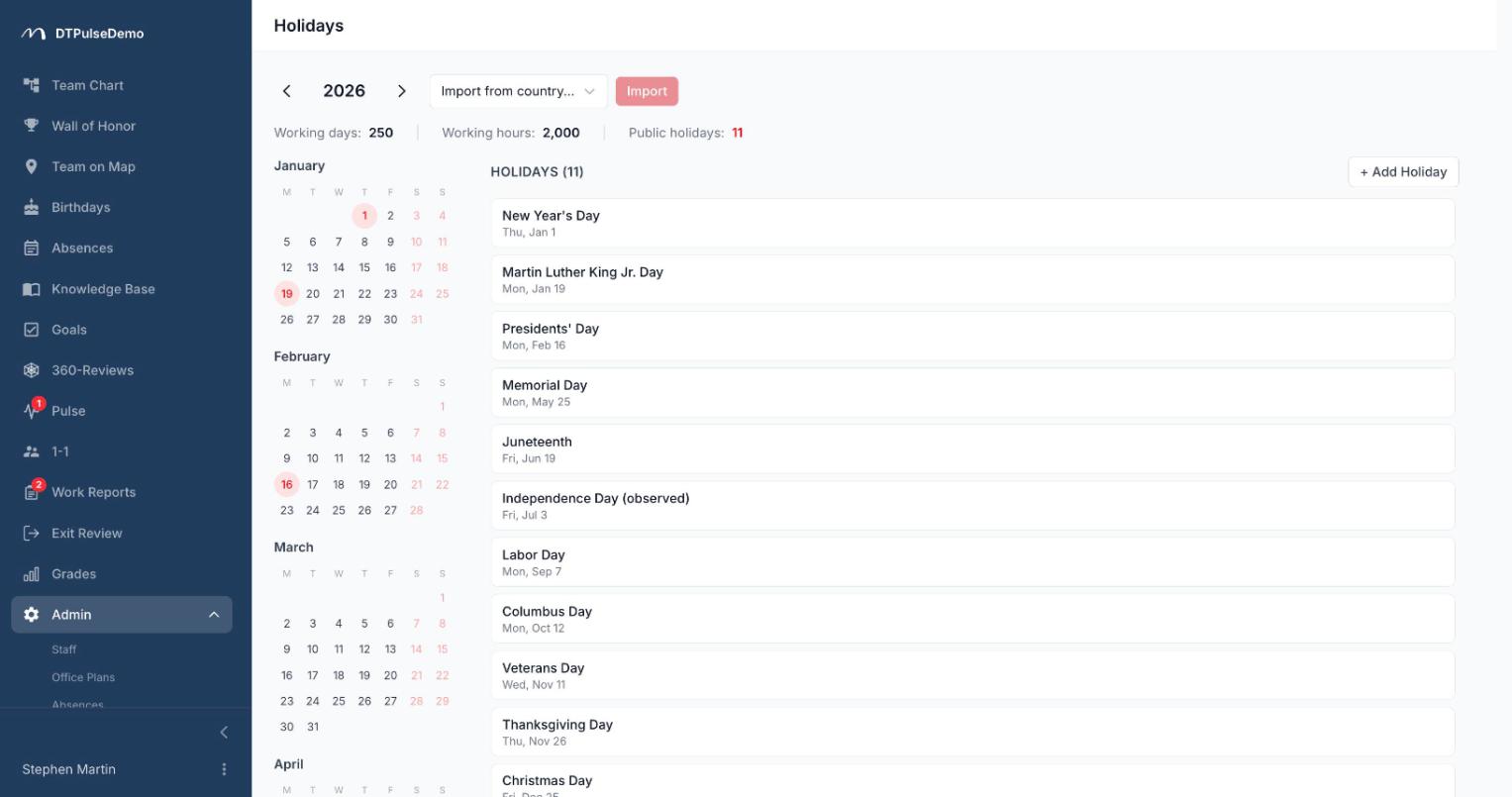
The calendar opens in the admin area and shows a full year at a glance: twelve month grids, with arrows to move between years. Holidays are red, weekends promoted to working days are green and struck through, today is ringed.
You don't type the standard holidays in. Pick a country from a list of 82, hit import, and the year fills itself. Names arrive in the local language, so German holidays read as Tag der Deutschen Einheit rather than a translated approximation.
Then you edit, and you almost always need to. Clicking any weekday opens a small form with a name and a date range — that's where company days off, office closures, regional holidays and anything the standard list doesn't know about get added. Multi-day holidays are stored as a range and drawn as one continuous band across the grid, so a week-long shutdown looks like a week, not like five unrelated red dots.
Working weekends
Clicking a Saturday or Sunday turns it into a working day. That covers the bridge days and make-up Saturdays some countries schedule around long holiday runs, and the occasional company-wide catch-up day. The date turns green and struck through, and the whole portal treats it as a working day from then on.
The same click reverses it. Plans change, the government publishes a different order, the company decides not to bother — one click and the Saturday is a weekend again.
The year in numbers
Above the grid there's a summary of the selected year: total days, working days, working hours at an eight-hour day, how many holidays you have, how many weekend overrides you added by hand. These are the numbers people usually go hunting for in December when they're sizing a quarter or sanity-checking a hiring plan.
Everything recalculates the moment you edit, so you can see exactly what your click changed.
Leave is counted against it
The most useful part of the calendar happens somewhere else — in absences.
When someone opens a leave request, public holidays are highlighted in the date picker, so they can see where their range lands. When the length is calculated, those days are skipped: a request spanning a two-week holiday period doesn't burn two weeks of annual leave, only the working days inside it. The same arithmetic drives each person's remaining balance and every approved request, because the rule lives in one place rather than in three slightly different spreadsheets.
On the absence calendar, holidays are shaded as full columns. It becomes obvious at a glance that a team isn't away because everyone booked leave — the country was closed.
One calendar per company
The calendar is company-wide. That's deliberate and it's the right shape for a single-country company or one with a clear head-office country, but it's worth knowing before you set it up: you can't yet keep a separate German and Brazilian holiday list for two offices in the same company. The practical approach is to import the country where most of your people are, then add the handful of extra dates that matter as company days off.
Whose time this saves
HR stops recalculating individual requests that overlap holidays. The maths is identical for everyone and doesn't depend on who happened to do the counting.
Employees can see what a request will actually cost before they send it. That removes most of the arguments about leave balances later in the year.
Managers can tell the difference between "my team is on holiday" and "the country is on holiday" on the absence calendar. Those are two different scheduling decisions.
Finance and planning get working days and working hours per year in the same form they already use for capacity maths.
How it connects to the rest of the portal
The calendar isn't a standalone page — it's the shared date reference for the whole portal. Holidays show up in every date picker: leave requests, 360-review windows, work-report deadlines. Fill it in once and the scheduler stops proposing a deadline for the second of January.
Admins and HR can edit it. Everyone else sees the result, in the absence calendar and in the highlighting on every date field.
Getting started
Open Holidays in the admin area, pick your country, import the year. Then walk the grid and add what the standard list doesn't know: company days off, working weekends, regional dates. It takes ten to fifteen minutes, and for most companies it's a once-a-year job in December.
The holiday calendar is available on every plan, including the free tier for up to 10 people.